Managing digital game packages, archives, and homebrew files can become challenging when a single utility does not support a specific workflow. Users working with PlayStation Vita package files may look beyond pkg2zip for tools that provide faster extraction, broader archive support, improved compatibility, or a simpler interface. Choosing the right utility depends on the file format, operating system, intended use, and level of technical experience.
Several tools can handle archive extraction, package inspection, file management, or related tasks without relying entirely on pkg2zip. Some options focus on general-purpose archive management, while others are designed for developers and advanced users who need detailed control over package contents. Understanding the strengths of each alternative can help users select a reliable solution for legitimate backups, development files, and homebrew projects.
What Is pkg2zip?
pkg2zip is a command-line utility associated with extracting certain PlayStation Vita PKG files. The tool became popular among technical users because of its ability to process package files efficiently without requiring a traditional graphical interface.
Read More: What is the command line syntax for pkg2zip?
Its command-line design makes pkg2zip lightweight and convenient for experienced users. Beginners, however, may prefer applications with graphical interfaces or broader archive-management features.
The best alternative depends on whether the goal involves simple archive extraction, package inspection, development work, or file management.
7-Zip
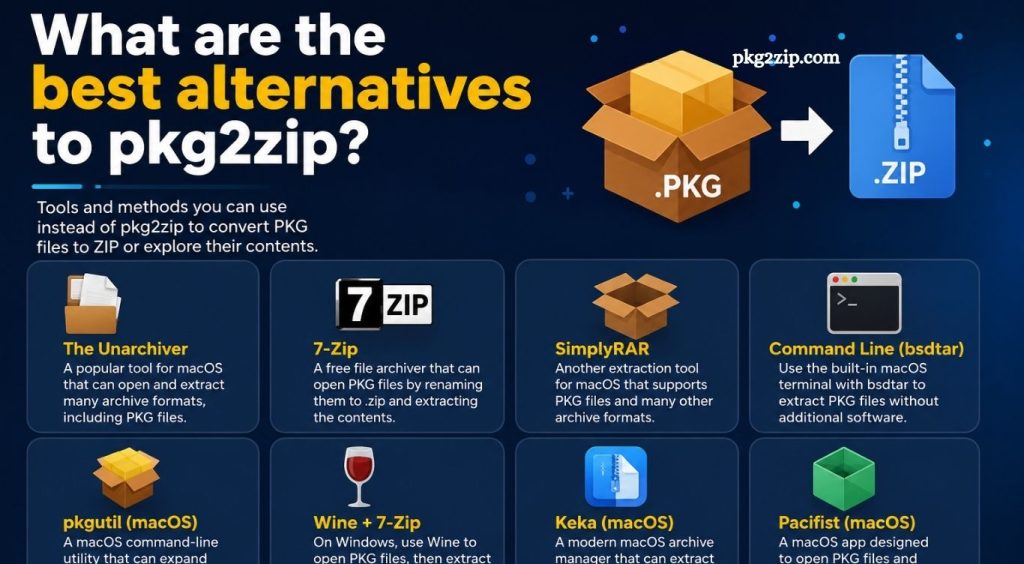
7-Zip remains one of the most useful general-purpose alternatives for archive management. It supports numerous formats and provides both graphical and command-line interfaces.
7-Zip works well for users who regularly handle ZIP, 7z, TAR, GZIP, and other common archive formats. Its lightweight design and open-source development model make it a popular choice for Windows users.
However, 7-Zip should not be considered a direct replacement for every PKG-specific function provided by pkg2zip. Specialized package formats may require dedicated software.
WinRAR
WinRAR offers another established option for users who need a graphical archive manager. It supports many compressed formats and provides tools for extracting, creating, testing, and organizing archives.
WinRAR can be useful when working with standard archive files alongside gaming or development-related files. Its familiar interface makes file extraction easier for users who prefer graphical applications instead of command-line utilities.
For specialized PlayStation Vita PKG processing, users should verify format compatibility before treating WinRAR as a direct substitute.
PeaZip
PeaZip provides an open-source archive-management solution with support for numerous compression and encryption formats. Its graphical interface makes it accessible to users who do not want to work exclusively through a terminal.
PeaZip is particularly useful for users managing multiple archive formats from one application. Advanced options also make it suitable for technical workflows involving file inspection and archive organization.
Like other general archive utilities, its capabilities depend on the structure and format of the package being processed.
VitaShell
VitaShell serves a different purpose from traditional desktop archive utilities. It is a file manager designed for PlayStation Vita systems commonly used within legitimate homebrew and development environments.
VitaShell can manage files directly on the Vita and supports various file-management operations. Users working with homebrew projects may find it more convenient than moving every file through a desktop computer.
VitaShell is not a universal replacement for pkg2zip because its primary purpose is device-side file management rather than desktop PKG extraction.
Vita SDK Tools
Developers working on PlayStation Vita homebrew projects may benefit more from development-oriented tools than from conventional archive software. The Vita SDK ecosystem provides resources for creating and managing software projects for the platform.
Development tools can help users who need to inspect package structures, build applications, test software, or manage development files. These tools require more technical knowledge than standard archive applications.
For developers, a specialized development environment can provide functionality that a simple extraction utility cannot offer.
Command-Line Archive Utilities
Users comfortable with terminals can consider command-line archive utilities as alternatives for specific file-management tasks. Tools such as command-line versions of 7-Zip provide automation capabilities that graphical applications may not offer.
Command-line workflows can become particularly useful when processing multiple legitimate archives or integrating extraction into scripts. Automation reduces repetitive manual work and provides greater control over file operations.
Users should confirm that their chosen command-line utility supports the specific archive format before attempting extraction.
File Roller
File Roller is a graphical archive manager commonly associated with Linux desktop environments. It provides an accessible interface for opening and extracting supported archive formats.
Linux users looking for a simple archive-management application can use File Roller for compatible files. Its integration with the desktop environment makes routine extraction straightforward.
File Roller is best viewed as a general archive utility rather than a dedicated PKG-processing replacement.
Ark
Ark provides another Linux-focused graphical option. Developed for the KDE desktop environment, Ark supports many popular archive formats and offers straightforward extraction and archive-management features.
Users who work primarily with Linux and KDE can benefit from its desktop integration. It can handle common compressed files without requiring extensive command-line knowledge.
Specialized PKG formats may still require dedicated tools with explicit support for those packages.
How to Choose the Right pkg2zip Alternative
Selecting an alternative starts with identifying the actual task. Users who only need standard archive extraction can choose a general-purpose application such as 7-Zip, PeaZip, WinRAR, Ark, or File Roller.
Users working directly with a PlayStation Vita may need a device-oriented file manager such as VitaShell. Developers may benefit from Vita development tools instead of conventional archive software.
Operating system compatibility also matters. Windows users have access to numerous graphical and command-line utilities, while Linux users can choose applications designed for their desktop environment.
Security should remain another priority. Download software from reputable sources, verify project authenticity, avoid modified executables from unknown websites, and scan downloaded files before opening them.
Are pkg2zip Alternatives Safe?
Safety depends heavily on the source and software version. Established open-source projects generally provide greater transparency because their source code and development history can be reviewed by the community.
Users should avoid suspicious download portals, unofficial repacks, cracked utilities, and unknown executable files. Security software should remain enabled during downloads and installation.
Archive utilities can also interact with files from untrusted sources. Never extract unknown archives blindly, particularly when they contain executable files or scripts.
pkg2zip vs General Archive Tools
pkg2zip is designed around a specific package-processing workflow, while applications such as 7-Zip and PeaZip target a much wider range of archive formats. This difference makes direct comparisons difficult.
A dedicated package utility can provide specialized functionality that general archive software lacks. General archive applications, meanwhile, offer broader compatibility and easier everyday file management.
The best choice depends on the user’s specific requirements rather than the number of supported formats alone.
Benefits of Using an Alternative
An alternative utility can provide several practical advantages. A graphical interface can make extraction easier for beginners, while command-line tools can improve automation for advanced users.
Broader archive support can also reduce the need to install multiple applications. Cross-platform availability becomes valuable for users who work between Windows and Linux systems.
Another advantage involves maintenance. A frequently updated project may provide better compatibility with newer operating systems and security improvements than an older utility.
Common Problems When Replacing pkg2zip
Compatibility remains the biggest challenge. A tool that extracts ZIP or 7z archives may not understand the internal structure of a PlayStation PKG file.
Incorrect file associations can create another problem. Installing multiple archive utilities may cause the operating system to open files with an unsuitable application.
Command-line tools can also produce confusing errors when users enter incorrect parameters. Checking official documentation and using supported file formats can prevent many common problems.
Best Choice for Different Users
Beginners generally benefit from a graphical archive manager because it reduces command-line complexity. 7-Zip and PeaZip are strong choices for everyday archive management.
Experienced Windows users may prefer 7-Zip’s command-line capabilities for automation. Linux users can choose Ark or File Roller for convenient desktop-based extraction.
PlayStation Vita homebrew users may need VitaShell for device-side file management, while developers may require dedicated Vita development tools.
Users specifically processing Vita PKG files should select a tool based on confirmed PKG compatibility rather than assuming that every archive manager can replace pkg2zip.
Conclusion
The best pkg2zip alternative depends on the task, file format, platform, and technical experience. General archive managers such as 7-Zip, PeaZip, and WinRAR provide convenient solutions for supported archive formats, while Ark and File Roller offer practical Linux options.